It all starts with 𝗥𝗲𝗶𝗻𝗳𝗼𝗿𝗰𝗲𝗺𝗲𝗻𝘁 𝗟𝗲𝗮𝗿𝗻𝗶𝗻𝗴 𝘄𝗶𝘁𝗵 𝗩𝗲𝗿𝗶𝗳𝗶𝗮𝗯𝗹𝗲 𝗥𝗲𝘄𝗮𝗿𝗱𝘀 - question asked - model generates reasoning + answer - answer checked against ground truth - reward drives RL training
In this setup, the environment is simple: fixed questions and answers, rollout logic, reward(s)
Consider a more complex tic-tac-toe env ❌⭕ It adds: - dynamic game generation/handling - tunable opponent skill - multi-turn interactions
(envs can also include tools)
---
What happens at training?
We use 𝗚𝗿𝗼𝘂𝗽 𝗥𝗲𝗹𝗮𝘁𝗶𝘃𝗲 𝗣𝗼𝗹𝗶𝗰𝘆 𝗢𝗽𝘁𝗶𝗺𝗶𝘇𝗮𝘁𝗶𝗼𝗻 with a tic-tac-toe env
No critic model needed, the group is the baseline Simpler than PPO
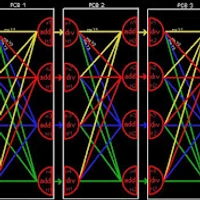
1️⃣ Rollout generation: from the same board, model plays N games via sampling 2️⃣ Each game scored with deterministic rewards (win, format, ...) 3️⃣ Mean score computed across the group 4️⃣ Each rollout's advantage = its score minus the group mean 5️⃣ Model updated to favor trajectories above baseline
Compared Quality and Speed Difference (with CUDA 13 & Sage Attention) of BF16 vs GGUF Q8 vs FP8 Scaled vs NVFP4 for Z Image Turbo, FLUX Dev, FLUX SRPO, FLUX Kontext, FLUX 2 - Full 4K step by step tutorial also published
Check above full 4K tutorial to learn more and see uncompressed original quality and size images
It was always wondered how much quality and speed difference exists between BF16, GGUF, FP8 Scaled and NVFP4 precisions. In this tutorial I have compared all these precision and quantization variants for both speed and quality. The results are pretty surprising. Moreover, we have developed and published NVFP4 model quant generator app and FP8 Scaled quant generator apps. The links of the apps are below if you want to use them. Furthermore, upgrading ComfyUI to CUDA 13 with properly compiled libraries is now very much recommended. We have observed some noticeable performance gains with CUDA 13. So for both SwarmUI and ComfyUI solo users, CUDA 13 ComfyUI is now recommended.